Get Started & Usage#
To use the Vulcan API, start by setting up the client with an access token. Then, directly pass your query parameters and call the appropriate method to fetch the data.
The examples below show how to configure the client and handle the results efficiently.
⮞ Set up the client by passing the access token to the VulcanApiClient class
from vulcan.v2.vulcan_client import VulcanApiClient
access_token = 'your access token goes here'
client = VulcanApiClient(access_token=access_token)
⮞ Examples of using the client object to fetch datasets.
Tip
Narrow down your request to receive a more manageable result set when using the .df() method. The .df() method returns a pandas DataFrame containing the data.
When fetching large datasets, consider using .__next__() to retrieve data in chunks and persist them to disk.
⮞ Option 1: Fetch all of the result and return it as a Pandas DataFrame.
datacenters = client.datacenters()

datacenters_dataframe = datacenters.df()
⮞ Option 2: Fetch the data in chunks using __next__() implicitly and write to a file.
import json

datacenters_generator = client.datacenters()

output_file = "filename.json"
with open(output_file, "w") as f:
    f.write("[\n")
    first = True
    for data in datacenters_generator:
        if not first:
            f.write(",\n")
        json.dump(data, f, indent=2, default=str)
        first = False
    f.write("\n]")
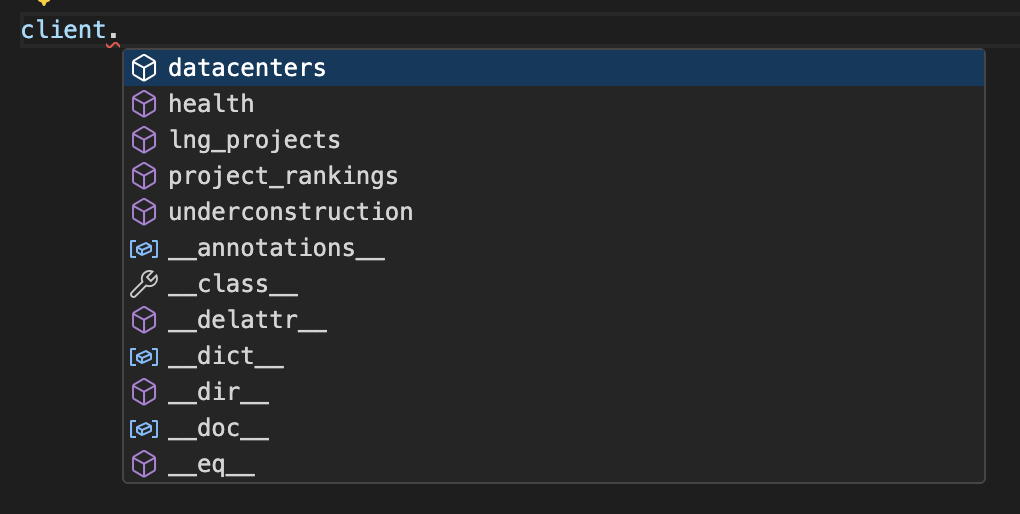
⮞ Use Autocomplete feature
The synmax-api-python-client SDK provides autocomplete functionality when used in code editors or IDEs that support Python type hints.
See available methods to fetch datasets: